SYS_COMPUTE
Compute & Virtualization
XEON / EPYC · RAM · HYPERVISORS
Install multi-socket motherboards, allocate ECC DDR5 memory, configure CPU core pinning, and run hypervisors with isolated virtual machines.

The ultimate realistic server infrastructure, homelab, and datacenter simulation game. Rack enterprise hardware, design VLAN networks, deploy Docker services, manage ZFS storage arrays, balance thermals, and keep the system alive.
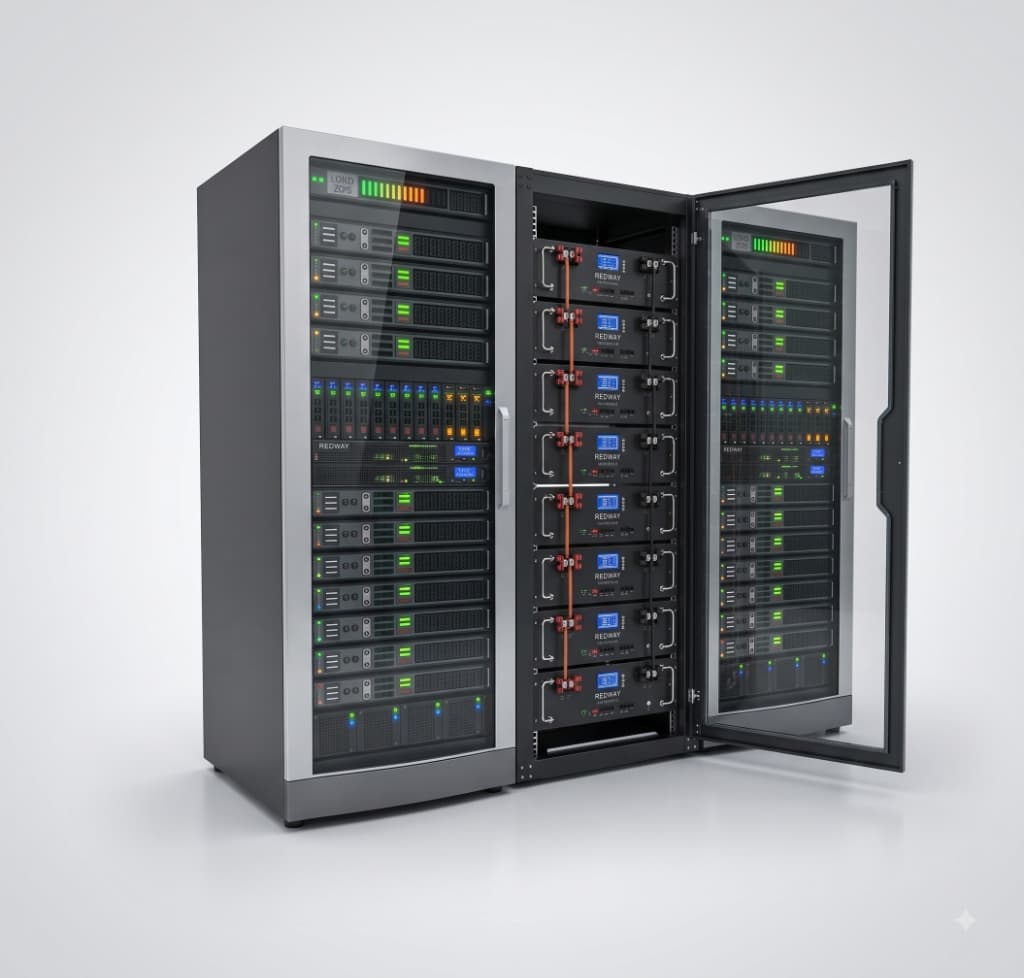
Real-world networking, storage pools, power limits, and thermal throttling.
From a bedroom tabletop mini-PC to multi-rack datacenter server cages.
Switch seamlessly between tactile 3D hardware racking and interactive CLI terminals.
Crafted by passionate tech enthusiasts for homelabbers, sysadmins, and gamers.
Homelab: Server Simulator by BuildWithVikesh treats every server, cable, and disk as an interdependent system. Every decision creates ripple effects across your infrastructure.
Under-power a server? Your UPS battery drains in minutes. Route storage traffic through an unmanaged 100Mbps bottleneck? Your streaming microservices buffer and crash. Forget to tune chassis airflow? CPUs throttle under peak load.
Designed around a balance of 70% engaging gameplay and 30% realistic tech concepts, giving you the authentic thrill of solving real sysadmin puzzles without tedious cert exams.
Explore the six core pillars that drive Homelab: Server Simulator by BuildWithVikesh.
XEON / EPYC · RAM · HYPERVISORS
Install multi-socket motherboards, allocate ECC DDR5 memory, configure CPU core pinning, and run hypervisors with isolated virtual machines.
SWITCHES · VLANS · SFP+ · SUBNETS
Route physical and virtual traffic. Segment IoT, storage, and public services with 802.1Q VLANs, configure DHCP scopes, and saturate 10GbE DAC links.
ZFS · RAID-Z2 · NVME CACHE · BACKUPS
Build fault-tolerant storage pools. Manage SAS backplanes, configure hot spares, scrub arrays for bit rot, and schedule automated offsite snapshots.
DUAL PSUS · SMART UPS · ATS · LOAD
Balance circuit breaker loads. Hook up uninterruptible power supplies, configure dual-feed redundant power supplies, and survive simulated grid blackouts.
FAN PROFILES · AIRFLOW · CFM · HEATMAP
Optimize cold aisle / hot aisle pressure. Customize high-RPM PWM fan curves, prevent thermal throttling, and manage ambient server room temperature.
CONTAINERS · PROXIES · DNS · UPTIME
Spin up real self-hosted services including Pi-hole DNS, Nginx reverse proxies, Home Assistant, Nextcloud, Vaultwarden, and Grafana monitoring stacks.
Test drive the in-game command line interface. Click any command below to inspect simulated server metrics, ZFS storage arrays, Docker stacks, and incident triages.
Slot servers into 1U, 2U, and 4U chassis rails. Connect CAT6a, DAC, and fiber optic patch cables into managed switches with realistic port assignment.
Access authentic terminal consoles. Execute shell commands, configure IP routing tables, inspect system logs with journalctl, and diagnose network drops.
Experience realistic infrastructure incidents: sudden drive sector corruption, failing power supplies, cable disconnects, thermal alarms, and packet storms.
Start with a single secondhand mini-PC in your bedroom. Earn resources by hosting uptime-critical services and expand into multi-rack enterprise colocation facilities.
Follow the progress as BuildWithVikesh brings Homelab: Server Simulator to Google Play.
Hardware slotting, power draw calculations, thermal modeling, and base rack mounting physics.
VLAN routing, ZFS pool management, Docker container orchestration, and interactive terminal console.
Mobile touch controls optimization, performance tuning, community feedback, and stability stress tests.
Global availability on the Google Play Store with full campaign mode, sandbox lab builder, and regular content updates.
Homelab: Server Simulator is in active development. Be among the first to test the early builds, shape new hardware modules, and pre-register on Google Play.
Homelab: Server Simulator is an in-depth simulation and strategy game designed by BuildWithVikesh where you design, build, wire, configure, and maintain realistic server infrastructure. From a single homelab shelf to a multi-rack enterprise datacenter, you manage compute, networking, storage, power, and cooling.
The game is currently under active development. The first release is coming soon to the Google Play Store! You can pre-register on this page and follow the official BuildWithVikesh YouTube channel to receive beta updates and launch notifications.
Homelab: Server Simulator is built with a 70% gameplay / 30% realistic sysadmin balance. It simulates actual infrastructure concepts—such as 802.1Q VLANs, RAID-Z2 storage arrays, Docker container deployments, UPS battery backups, and thermal throttling—while ensuring an addictive, accessible gaming experience for everyone.
Yes! You can choose individual server chassis, CPUs, ECC memory modules, SAS/NVMe drives, SFP+ network cards, cable management arms, and patch cables. On the software side, you can deploy hypervisors, manage storage pools, configure subnets, and host self-hosted services.
Homelab: Server Simulator is being developed by BuildWithVikesh—an indie developer and content creator dedicated to building authentic simulation games and technology experiences.
Created by BuildWithVikesh, an independent software developer and tech enthusiast. The mission behind Homelab: Server Simulator is to make complex computer systems, networking architectures, and self-hosted infrastructure exciting, visual, and accessible through immersive simulation gaming.